Windows Phone 7

Martin · 14 years

It's been a couple of weeks since I picked up my HTC Trophy, a Windows Phone 7 handset, and I'm back to report how things have been.

The verdict so far? So far, so good. Only a few bumps in the road. Read on for more detail on what I like, what I don't, and how things have been!

Things I like

The interface. Though the WP7 UI (named Metro) looks simple at first glance, it is actually quite slick. Animation is used throughout and goes far to enhance the interactivity of the touch interface. Particularly nice are the Live Tiles (large, customizable icons on the main screen of the phone), which display animations while the phone idles, and fly in and out of the screen fluidly.

Text is also given a lot of good treatment in WP7, with menus using large headers that often extend off the screen, and smaller bits of text being animated as you flip through different screens.

It's actually kind of funny; though I've always liked the understated design of the WP7 interface, I've also felt that it would have a hard time competing with all the gloss, shadow, and animations used in iOS. After spending time with WP7 though, my iPod Touch feels very dry. The animation feels rigid, and all the gloss and shadow applied to the on-screen items just seems overdone. I'm not saying that iOS is bad, just that a lot of the things that made the OS shine have started to look stale to me after using WP7 for some time. Perhaps iOS 5 will change that, but that's how things stand to me for now.

Of course, the WP7 interface is a bit nuanced, and it's clear that while Microsoft has a good grip on how to lay out apps in an intelligent way while adhering to the design standards of Metro, third party developers still struggle with it. It's quite obvious when devs have made an effort to stick to the principles of Metro, however, and these efforts usually go far in making their apps seem more legitimate than others.

Integration of services. One of the prime reasons for owning a smart phone is to utilize the internet in various ways, and WP7 integrates social media and information services smartly in various ways.

For example, one of the first things you see on the phone is the People Hub, a Live Tile that shows you various thumbnails of the people you know (pulled from your Windows Live and Facebook contacts), and with a touch, gives you easy access to their status updates, allowing you to quickly see what all your contacts are up to. You can also pin individual people from your contacts to your menu as an individual Live Tile, which will automatically update now and then to show you snippets of their most recent posts, pictures, etc. I like this because it makes it easy to personalize the phone and keep up with people you're interested in talking to more frequently.

Another neat feature is that, like the Zune application for Windows, the Zune music player in WP7 also loads up supplemental information about the music you listen to (when available). Pictures of the current/last-played musician load up in the background of the app, and biographical information becomes available for you to read. Links to buy more content from the artist appear, of course. The Live Tile also updates to show pictures of the latest artist played, further personalizing the home screen's appearance, and with no additional effort from the user.

One of my few major gripes with WP7 also involves the integration of services, but I'll get to that later. Overall, the WP7 experience is highly enjoyable in this regard.

Speedy access to information. This isn't to say that other phones don't do the same job just as good, but I've really been impressed with the ease and speed at which I have access to the things that I find important to check, like text messages, email, and appointments/events.

Displayed prominently on the lock screen, available by pressing the hold/power button, is the time, date, and any upcoming events you've got in your calendar. Below that, icons are displayed for your text messages and various email accounts, followed by a number showing how many new messages you have. This makes it extremely easy to see if you've got any unread messages waiting, and quick to put away if you don't.

Care has also been taken to make the capturing of photos and video efficient, with each WP7 handset being required to have a dedicated camera button which, when pressed and held (even when the phone is locked) loads up the camera app and lets the user quickly start taking pictures. It's a small feature that's easy to overlook, but for me, most of the time when I wanted to take picture with my previous phone, it was a pain to have to unlock the phone and then wait a few more moments for the camera to start. By the time everything was ray, the ideal moment to take a good picture had often already passed. I suspect this will not be the case with WP7.

Build quality. I can't speak for other WP7 phones, but for my HTC Trophy, the build quality is great. The phone isn't heavy, but doesn't feel so light that it's cheap. All the buttons feel solid, and the rubberized casing feels good in your hand. The screen has a slightly different feel to it than my iPod Touch, but works well and generally feels good to touch.

The Trophy feels good in your hand, doesn't feel cheap, and isn't too big. There's not much else to say about the build of the phone, really.

Things that take a little getting used to

Internet Explorer Mobile. I understand this is going to get better this fall with the upcoming "Mango" OS update, which will include a mobile version of IE9, but for now, the current mobile version of Internet Explorer (resting somewhere around versions 7 and 8) is serviceable, but clunky at times. To mobile IE's credit, it's just about as snappy as Apple's mobile version of Safari for rooting around pages, but page rendering feels a bit slow sometimes, and some websites which seem like they ought to work simply don't.

I'm hoping that IE9 will help keep WP7's browser in a more modern space than the originally included browser. It'll help the platform keep parity with other mobile operating systems, and will help web designers by giving them a consistent mobile platform to develop for.

Still, even if IE9 doesn't turn out to be a game changer, mobile IE, in its current state, is definitely useable. It just takes a little time to adjust to it.

Context sensitive buttons. With most of my mobile OS experience centering around to my iPod Touch and its solitary hardware button, the addition of a dedicated Back and Search button with WP7 took a little bit of learning to get used to. Instead of using an on-screen button (typically in the upper left corner of the screen in iOS) for going backward, all WP7 phones are required to have a hardware button at the bottom left of the device for going back.

This, in itself, is not too hard a transition to make, since the functionality is very similar to that of other mobile operating systems. But then comes the tricky part: when you've reached the end of going backward through pages in the current app, pressing the Back button again will bring you back to the home screen, or back into whatever app you had open before. The Back button acts on a more global level than you might first think.

Once you get used to this behavior, it's actually quite easy to use it to skip around between what you're doing on the phone. It's especially useful in light of the fact that there's still no real multi-tasking support, though this is another feature coming in Mango.

The Search button has similar behavior, but since I don't use it that much, it hasn't caused me as many problems yet. It is handy to be able to access search in apps, like Marketplace (the WP7 equivalent of the iTunes App Store), but in almost all other situations, it merely loads the Bing search tool. The often-beautiful photography on Bing is a nice surprise as times, but I'd still appreciate more of an explanation now and then as to exactly what I'm going to get when I press the Search button.

Battery life. Other people who have been using smart phones for a lot longer than I have will probably think me silly for complaining, but if there's one thing I miss about my old LG Chcolate phone, it's the battery life. If I didn't make many calls, it would sometimes last two or three days without a charge. My new phone lasts a little over a day to a day and a half, depending on usage and where I take it. Sadly, my current work building, a steel and concrete industrial warehouse, seems to make the phone strain for a signal, and thus drains the battery quickly.

Even then, it's not been a huge inconvenience yet… but in the future, when I am traveling or when I am off hiking or something, it worries me that my phone might wind up dead rather quickly, and those are the situations where I would need it most.

Zune. Figuring out how the Zune music (and video) player works is a little confusing after having spent so much time using my iPod Touch, but I'm getting the hang of it. Generally, the functionality is identical to the iPod; the hardest part is just finding where all the same controls are.

I also find it a bit strange that Zune handles music and videos, but images are handled by a separate app. I'm not sure exactly why I find this weird, but it just seems like if it's going to handle more than one type of media, it might as well handle all of it.

Things I don't like

Missing apps. It seems that every few weeks we see another press release about the growing number of apps in the WP7 Marketplace. That's great, but I'm still missing a few of the apps that I've been using on iOS for a long time now, like Tweetdeck, and the small handful of financial apps I used. Sure, I can do most of this stuff via similar, lower quality apps, or through the web browser, but it'd be great if more companies would get on board with WP7 and publish official apps. Millions of people are using this OS, after all.

This isn't really Microsoft's fault, and I'm sure it'll get better over time, but for now it's still a little disappointing that so many companies out there are courting users on other platforms and virtually ignoring Windows Phone 7.

Marketplace content. This is a small gripe, but it's still something I don't much like, and feel is worth mentioning. The amount of adult content in the Marketplace, and the randomness in which it crops up in search results is stupid. Searching for "Twitter", the sixth result in the list of results is "Sexy Babes FREE". That's just idiotic.

I'm not some kind of prude, and I think people definitely be able to create and sell whatever kinds of apps they choose, but there needs to be some way to filter this kind of content out of search results, or even from the default view of the Marketplace to begin with. I don't think most people are going to the WP7 Marketplace looking for these sorts of cheap thrills, especially when they have a perfectly capable browser at their disposal.

I'm certainly going to have a hard time recommending WP7 to anyone with a vagina when even a casual visit to the app Marketplace involves sorting through dozens of apps showcasing "sexy babes". For the same reason that a bookstore doesn't place adult magazines between every other book on the shelf, the WP7 Marketplace needs to filter out this stuff and put it in its own special place, away from everything else.

The way the default Live ID is handled. Probably my single biggest annoyance with Windows Phone 7 so far has had to do with the way the OS handles your Live ID when you first activate the phone. Upon first startup, WP7 asks you to create or use an existing Live ID (a Windows Live, Xbox, or Hotmail account) for the phone. This is mandatory, and is used to sync contacts, get you an email account, make payments, etc. It makes sense, it's easy, and I like it. So far, so good.

But then, if you used a Live ID you've had for years (like I did) you'll load up your contact list and find that it's been populated with all sorts of random people- many of which are just casual contacts from Messenger or Xbox Live who you would never want to call, and really shouldn't be in your contact list by default. Once you've done this though, there's only one way to fix the problem: reset the phone to factory default and start over. Unwilling to do this, I ended up purging a lot of random people from my contacts… something I probably should have done a long time ago anyway, but which I still found annoying to have to do just to get the phone's contact list set up correctly.

If I were to do it over again, knowing what I know now, I would definitely recommend creating a new Live ID and using that for your new phone, rather than importing an old one.

Final thoughts

That's about all I have to rant and rave about for now. Windows Phone 7 is a solid choice for anyone who wants to "think different" from the Android masses, or who is looking for something flashy, but not confined to the Apple ecosystem. I would definitely recommend the platform, and as long as Microsoft continues to support it, I think there are a lot of good things in the future for Windows Phone 7. If you're in the market for a new smart phone, give it a try!
New Phone On The Way

Martin · 14 years

So I'm finally getting a new phone, and taking the plunge and getting a smart phone, no less. I'm replacing my old LG Chocolate with an HTC Trophy, which as I am typing this, is currently riding shotgun with some anonymous FedEx driver, getting ready for glorious times ahead with Marty.

In case you're not up on your phones, the HTC Trophy is a Windows Phone 7 phone. I tried out the iPhone 4, and though I like my iPod Touch, I just can't get that far in with Apple at this point, and it annoys me that everyone has them. I also tried a handful of Android phones, and while I liked some of the features they offered, it all seemed a little janky. I think I'm just kind of tired of thumbing through pages of tiny icons.

Finally, I tried out Windows Phone 7, and frankly, I like it. It's different, but not pointlessly so. It's got a sharp look, and it's all simply coherent and snappy. Also, since I had an upgrade coming from Verizon, and since they were doing some kind of online promotion, I got the new phone for only $50. This is my golden parachute for if it doesn't work out, but I have high hopes for it and don't expect that to happen.

But before you get all huffy and start hammering out a comment on why I should have gotten Phone X instead, let's share a moment reflecting on the things I won't be missing about my old LG Chocolate. If we can't love the same thing, let's hate the same thing, alright?

The navigation wheel.

Visually, the shiny navigation wheel on the face of the Chocolate is actually interesting. It makes the phone look like it will be fun to use and lends it a foreign air of functionality. You don't know what the wheel does or how it would feel to use it, but you suspect that it makes things easy, and that there might be many hidden uses to that wheel that your mind couldn't possibly have imagined. The wheel even gives the phone a retro-iPod look.

Sadly, the wheel is not awesome. Not even remotely. Instead of being a touch-based input, like the iPod of old that it pays homage to, or even the other four buttons on the face of the phone, this wheel is exactly that: a wheel. It's a piece of shiny plastic that your thumb has to actually rotate to work, and it's not easy to find the right place between way-too-sensitive and turning-the-wheel-around-three-times-to-get-the-menu-to-move-ahead-one-item.

When the phone is unlocked but no menus are invoked, the wheel also has the added benefit of opening the useless calendar widget. This widget does nothing but show the current date and time, which you could have already seen on the home screen behind it, and it runs poorly to boot. So poorly, in fact, that if you accidentally leave the widget open for long enough for the phone to lock again, it stops actually telling the time, freezes up, and then the phone actually takes a minute or two to close it later when you realize what happened. As you might imagine, this is loads of fun when you're trying to make a call quickly or you just want to see what time it is.

The awful spell-checking

Or more precisely, the spell-checking dictionary auto-add feature, which is impossible to access. Though there aren't that many words that aren't in the dictionary by default, occasionally you have to enter your own words in the LG Chocolate 2, which isn't all that painful an experience; you just put the phone in a different text entry mode, type the word, and then continue your text. When you do this, the phone adds your new word to its internal dictionary. So far so good. Later on, when you use the word again, it's easy to use because the phone will help you fill it in automatically.

Unfortunately, the auto-add feature isn't particularly smart, so there are many instances where you don't want it to add something, because you're not going to type it all the time, but it goes ahead and does it anyway. Further, it remembers capital letters and treats periods and commas as part of words, so if you are using a word for the first time at the beginning or end of a sentence, the dictionary entry for that word will always be that way.

There also doesn't seem to be a weighting system for how often you use words, so for example (and this is the one I hate the absolute most), one time I pressed the buttons 9, 6, 8, 1 to type out the number "968y" with a comma at the end. Now, every time I type the word "you", (also 9, 6, 8) and then add a period to the end (1), the Chocolate 2 replaces my perfectly ended sentence with "986,". Nevermind the fact that I've typed 9, 6, 8, 1 hundreds of times now, and only once have I ever wanted it to be "968,". It suggests this to me every time. And so far as I can tell, there's no official way for going in and deleting the entry from the phone's internal dictionary.

If LG added this feature to the phone to make me want to throw it as far as I possibly can every time it happens, then let me be the first to say that they did a fine job of it. A damn fine job.

The missing 4 key

I think this one was probably a sign that my time with my LG Chocolate 2 was drawing to a rapid close, but a few months ago I was furiously texting, and I felt something odd happen beneath my left thumb. The hitherto solid, mostly immovable, and always reliable 4 key finally decided it was time to abandon ship, severed its bonds with the glowing rubbery button below, and ungracefully fell to the floor below. Since then, it's been weird typing words that use the letters g, h, or i.

I don't blame 4 for finally giving up. I don't really even text that often, but I probably would have fell off the Chocolate 2 long ago, if I were 4. I'm proud of him for sticking around as long as he did.

Non-sending text messages

Over the course of the last half year or so, my Chocolate 2 has become increasingly unwilling to send out my text messages, sometimes making me cancel the text and try to send it two or three times before it works.

It's an annoying problem, and it's made worse by the fact that one often doesn't watch his phone after pressing the Send button to make sure the text actually gets sent - it's assumed that it is, the phone is locked and put away, and the Text Messenger goes on his merry way. Quite often I respond very quickly to texts, only to find out an hour or so later that my efforts at fast text turnaround were in vain; the message did not actually go through, and the person expecting a response is now pissed off, and/or wondering what happened to me. If I want to snub someone by not responding to their text, I'd rather do it on my terms, than have my phone decide for me when such snubbing is appropriate. Especially since my phone does not seem to be good at making these kinds of decisions.

I'm hoping this isn't a problem with Verizon itself, but nobody else I know who has Verizon has this problem, so... there you go. I think this problem might actually stem from my dropping the phone a few times during its years of service, but hey, then it's a design/engineering problem. Still not my fault. Things that are my fault wouldn't fit well in this list of faults anyway, now would they?

Crap OS

Maybe it's called Qualcomm BREW, or maybe it doesn't even have a name. Regardless, I'm calling it Crap OS because it's a crappy operating system. From the aforementioned calendar widget issue to the many times where I haven't been able to delete messages from the phone (because the inbox got too full... that makes sense, right?), I've experienced a lot of annoyances with this OS.

About the only thing I like about Crap OS is that it's generally simple, and since Verizon seems to have it on all of their non-smart phones, it makes it easy to pick up and use virtually any of those phones, once you know your way around. My phone also had a few themes to change the feel of the OS, and they actually worked pretty well too, I will say. Still, I don't think I'm going to be lamenting the upgrade any time soon.

Let me close this list by saying that, despite my ranting here, I actually don't hate the LG Chocolate. It has many flaws, like just about any phone. But it served me well.

Anyway, that's the long and short of it. A new phone is on the way, and I'm pretty excited about it. I'll report back here (and elsewhere, I'm sure) when I get it. Anyone else out there have an HTC Trophy?

Team Fortress 2: Meet the Medic

Martin · 14 years

So Valve finally got around to releasing one of the two final Meet the Team videos - the newest being for the Medic, and arguably the most epic video they've created so far. Watch below!

Oh, and if you didn't bother to watch all the way through, they've also just announced that Team Fortress 2 is now free to play for all! A generous move, surely, though I'm not sure if there are many people left out there who are interested in the game and haven't gotten it yet. Still, this is great news for the continuing popularity of the game.

And if it's proof of anything, it's proof that sales of virtual goods must be a profitable business for Valve. This wouldn't shock me at all.

Anyway, it's a great game by a great team. Get it for yourself if you haven't already!

Team Fortress 2 Video!

Martin · 14 years

Another thing that happened while I was gone was that Team Fortress 2 got video capturing, editing, and rendering tools, and me and my buddy Dave used them to become YouTube sensations!

Well, the first part happened, anyway. The second part almost happened, but alas, not many people watched our video. I've taken the liberty of including it at the head of this post, if you're interested in watching a Pyro and Medic take on a handful of bad guys. Spoiler alert: lots of people get burned.

I used a combination of Team Fortress 2's built-in tools, Adobe Photoshop, and Adobe Premiere to create the video. Oh, and a little help from a tool called GCFScape.

Minecraft Renders

Martin · 14 years

One of the things I've been doing in the time since my last major blog post was dabbling with rendering some of my Minecraft exploits.

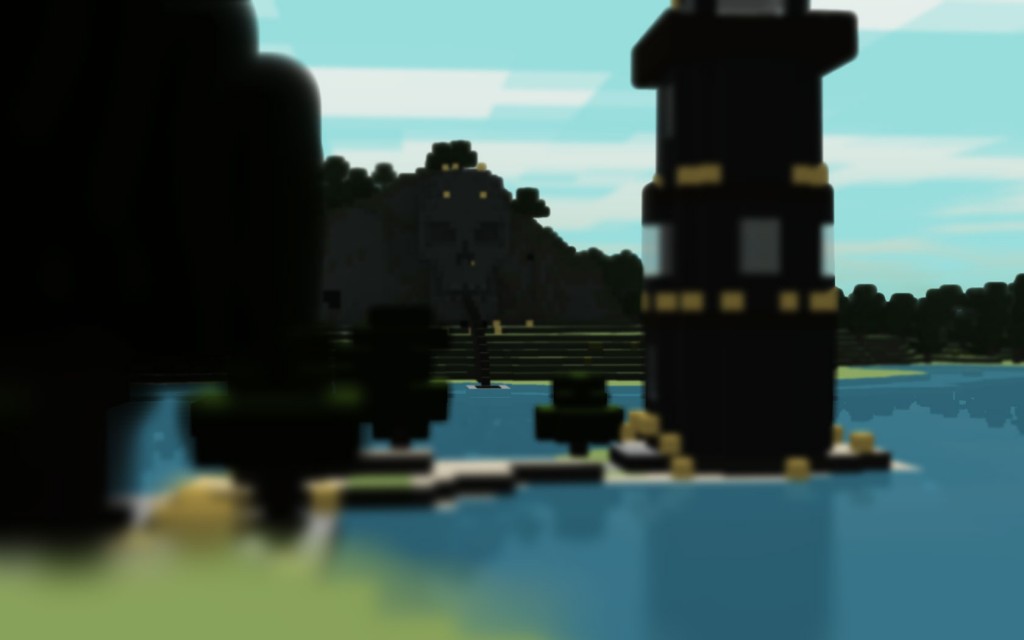
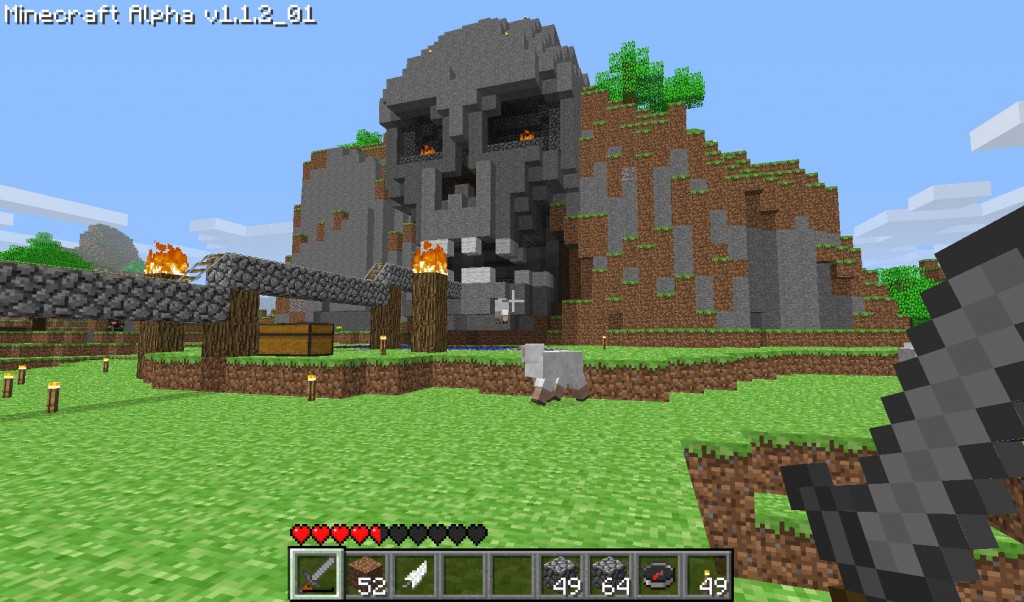
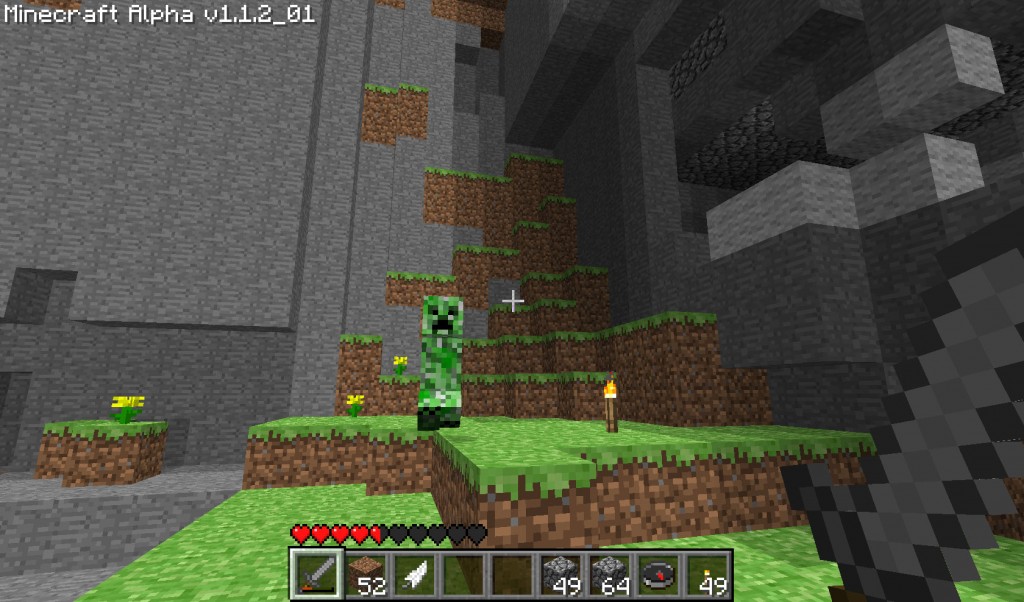
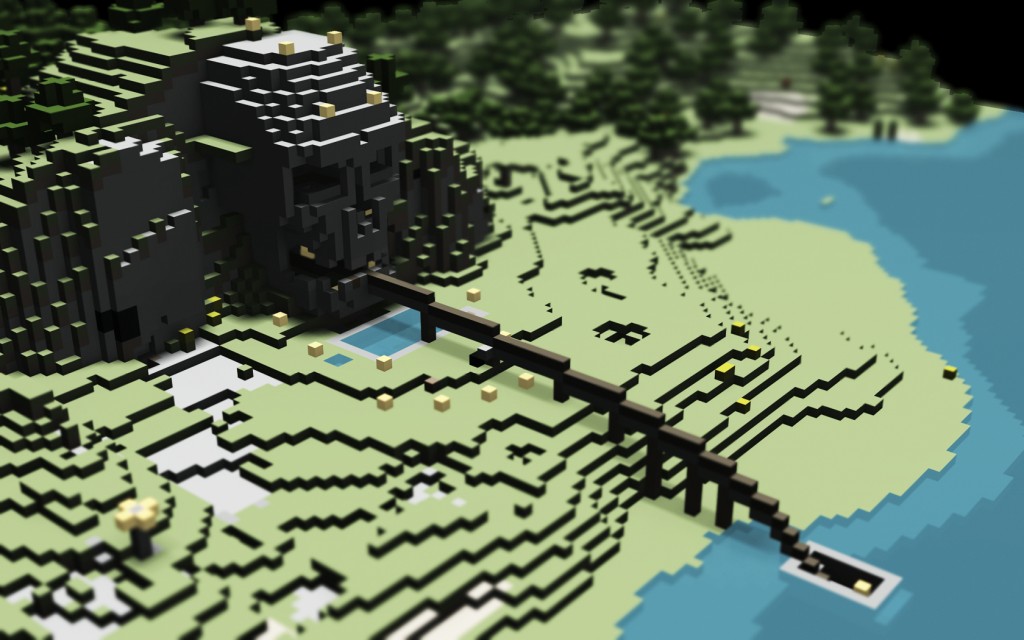
One of my biggest projects in the game (before I started "cheating" with INVedit and MCEdit) was Skull Island. Across a wide expanse of water from my original spawn and home base, I found an island with a large mountain near the water. It could be seen faintly from the water's edge near my spawn, and I thought it'd be a cool project to carve a large skull into the cliff face. After a few weeks of work (not always consistent play, but it did take a while), I was finished. It wasn't the best thing I'd ever seen made in Minecraft, but I liked the result, was proud of my work, and have decided to post the results here, for the curious.

In order to render my Minecraft levels, I first output them to OBJ format using mcobj, which is a great little tool. I used my old 3D standby, trueSpace, to do the actual rendering, and did a little work in Photoshop afterwards for some of them as well.

Here's the final render I did of Skull Island. The depth of field effect, which was part of the original render, gives it a nice little tilt-shift photography effect that I feel is very appropriate for Minecraft. I also did some post-process color work in Photoshop.

That line coming out of the water and going into the skull's mouth is actually my mine cart track that leads back and forth between the two land masses. On the way over to Skull Island, you come flying up a long incline and immediately see the giant skull looking ahead before your cart goes sailing between the front teeth!

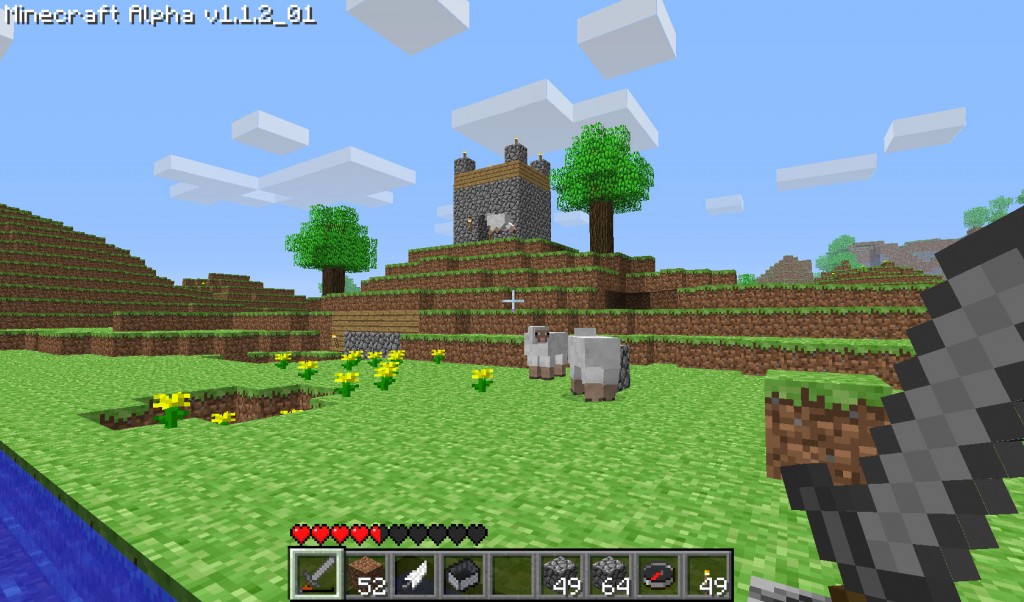
I also did an alternate view from my home base area on the other side of the water. There's no sky output when you export maps from Minecraft using mcobj (and I don't see how there could ever be, really), so I had to make my own. The following two images show the render with and without my faux-Minecraft sky.

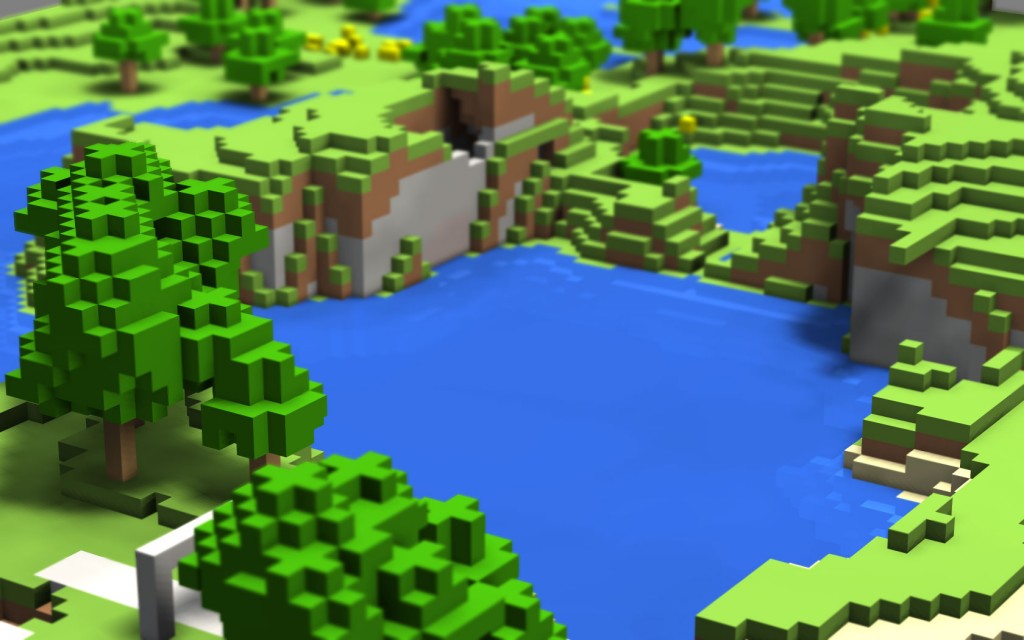
I also did a render of a small lake, to test water transparency / reflectivity and depth of field.

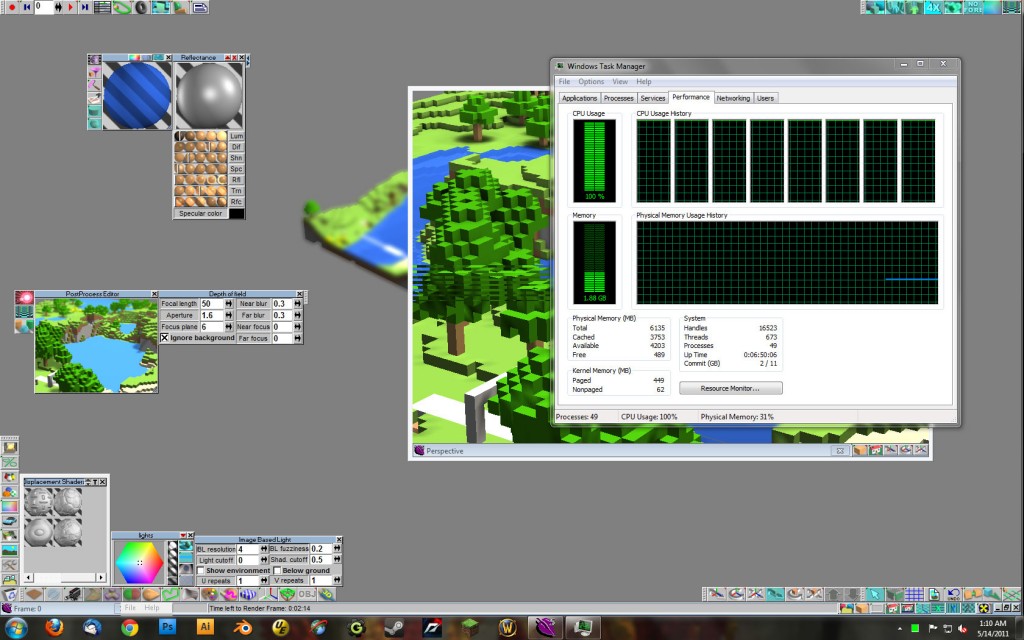
And finally, just for kicks, here's an image of my poor computer trudging through a rendering... the phrase "firing on all cylinders" comes to mind!

If you play Minecraft and you don't mind getting your hands dirty with some simple 3D work, rendering your worlds is a pretty fun way to make the whole experience a little more artful. There's a good sub-reddit for mcobj at r/mcobj, and people have also written up some decent tutorials for creating renders with Blender too, so there are lots of resources out there to help get you started if you're interested in all of this.

Thanks for reading, and if you have any tips, tricks, or other things to share about creating Minecraft renders, be sure to add them in the comments below! And of course, if I create any more interesting renders, I'll be sure to post 'em here on the blog!

Impending Update!

Martin · 14 years

Just a small update here. Wanted to let everyone who might not have known that I'm not dead, and haven't entirely forgotten about this blog yet, hehe.

It's been a while since I've updated the blog software though, so I'm going to do that, and will probably revert back to a default theme for the time being to make sure there aren't any odd incompatibilities between what's up now and the newer version of WordPress. I was a bit sick of the old look anyway.

Thanks for bearing with me here, if you've been checking in. Will be back later on with a more detailed report on what the hell I've been up to!

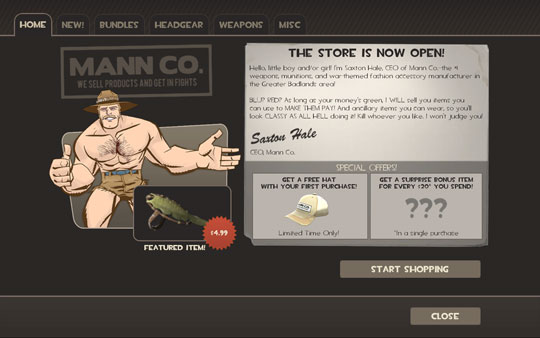
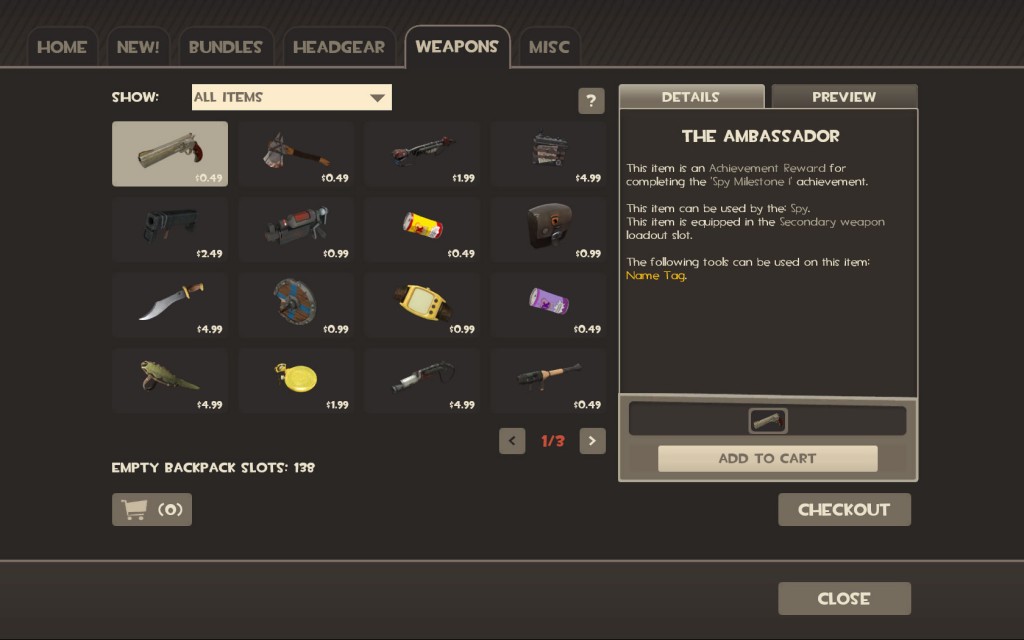
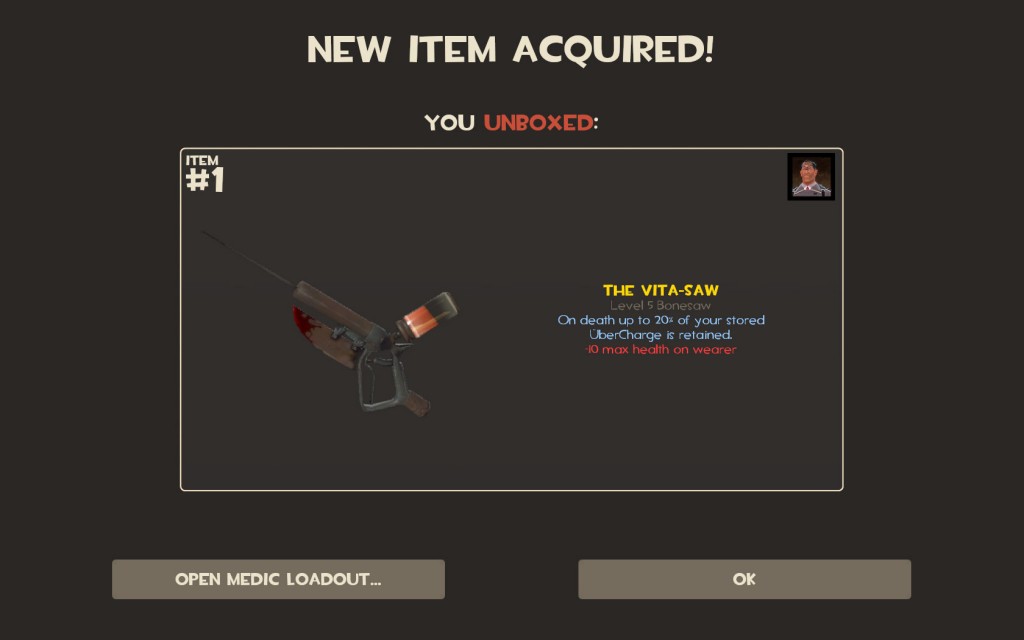
Two or three weeks after I quit my full-time job at Minecraft, Team Fortress 2 got a massive update in the form of The Mann-Conomy Update. Not only were all of the new items from the Polycount Pack included, but also a new store in which players can buy items for their roster of characters. Now, rather than having to play for hours and hours, hoping for the right random drop or collecting enough raw materials to craft, players can plunk down a wad of cash from their Steam Wallet and buy what they want, straight away. So I started playing again.

I was a bit apprehensive at first, but overall, the in-game item store is a good idea, really. It helps monetize a game that, even after 3 years out, is still going strong online, making it more sustainable for Valve to continue updating it (and for the community members creating the content, apparently). For players who don't want or can't afford to purchase items from the in-game store, the old item collection system is still in place, so they can continue to earn rewards the old-fashioned way. And for now, store items cannot be traded, so found or crafted items retain lots of value among players.

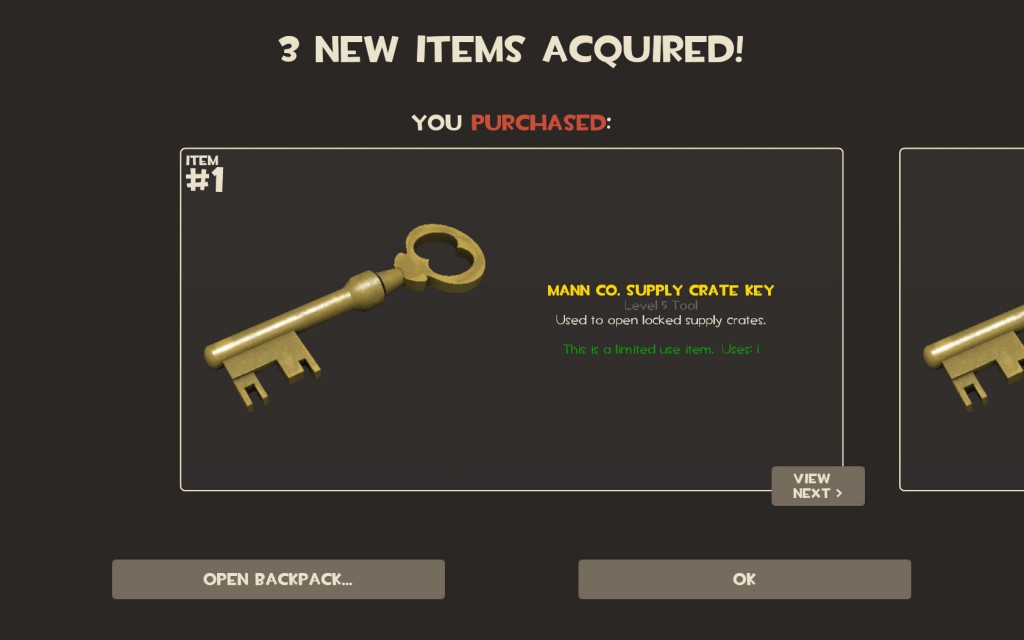
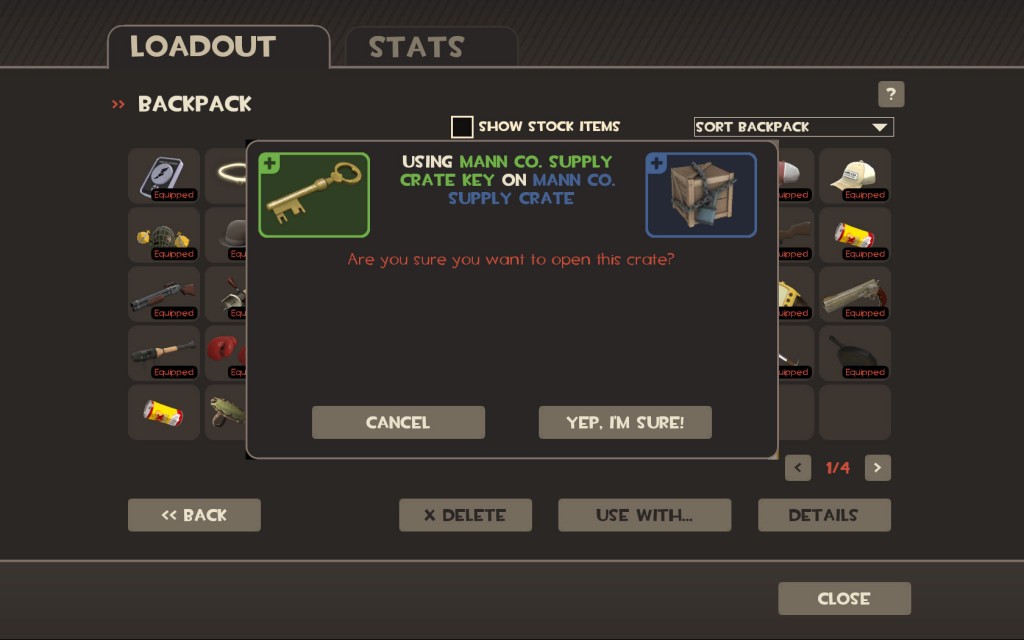
Aside from a few small balancing issues with the scout and soldier, my biggest complaints with the update revolve around Mann Co. Crates, boxed items that can be randomly "found" while you play, which require the player to pay $2.50 for a virtual key to open. Sure, the broke player can trade the crate items to others who don't mind paying to open them, but it still bothers me that they require real money to open.

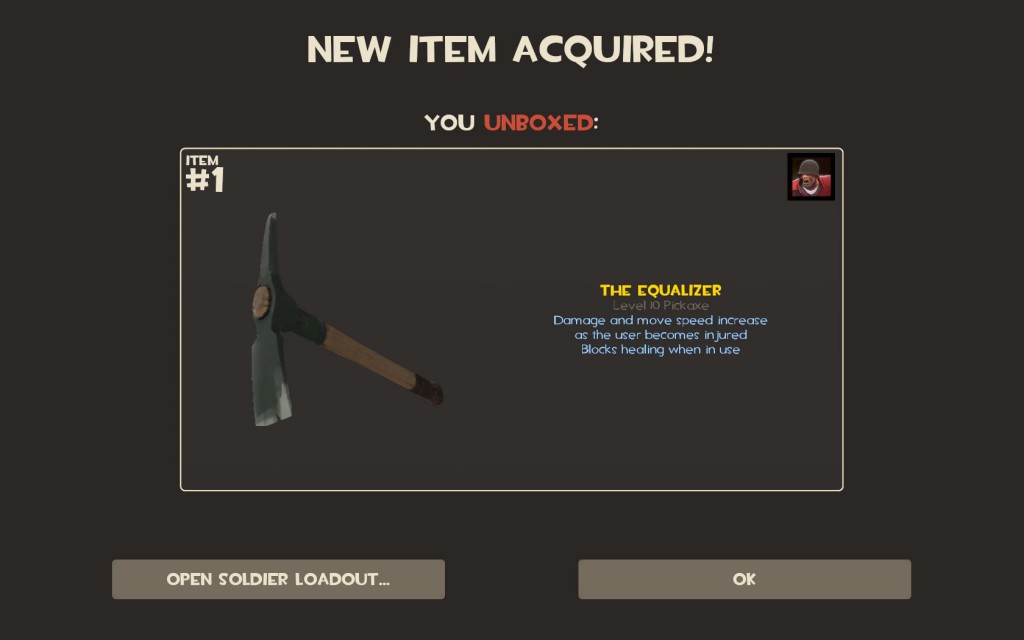
And that leads to my other gripe. Unlocking crates grants players a mystery item, one of the items listed on the box's description. This includes an assortment of normal items, hats, and "unusual" rare items that don't spawn very often. This is all fine, and I understand why Valve did it; it serves to keep the money flowing in as people gamble on the contents of crates. But it further bothers me that even while paying $2.50 for every opened crate, there is still a very good chance that you're going to receive a normal item that could have cost less in the item store, or which could be found or traded for free.

I understand that there is a balance to how good the loot in the crates can be versus how much you pay to open them, but there is a premium that comes along with paying for content, and it's lame that people are receiving tons of ordinary items when they are opting to pay for the very chance to receive an item in the first place.

Other than all that, I'm enjoying the update a lot. It's nice to be able to pick up cheap items for a buck or two, instead of having to wait for days or weeks to get them as a drop. Team Fortress 2 is as fun as always, and the mayhem is only further exaggerated by all the crazy items people have.

And just for kicks, you can check out my backpack here if you like.

Continuing my string of posts about things that I wanted to talk about during my hiatus, following is a list of stuff that happened in the world of video games that I found interesting or noteworthy. And addictive. Horribly, horribly addictive.

A couple of months ago I was browsing Reddit, and I happened upon a submission about a game in its Alpha phase that people were absolutely salivating over. I posted a comment about how I'd never buy a game in Alpha, because it's bound to be bug-ridden or possibly never even finished. I was ridiculed, but held fast to my opinion.

A few days later I was lurking around Reddit again and looking through my message log. I found my anti-Alpha post, and since I was bored, decided I'd check out the game's website and possibly give it a try, if a demo was available.

That game, of course, was Minecraft.

And nothing, not even a lengthy stint with World of Warcraft, could have possibly prepared me for the vise that slowly wrapped itself around me as I loaded up the free, browser-based client and started playing around with it.

I moved around the game world. I liked the blockiness of it. Then I clicked and accidentally removed a block. Amazed, I did this several more times, and then figured out how to make blocks. Looking at the vast landscape generated before me, I quickly realized that this was a game with almost limitless possibilities.

I spent the next hour or so building a massive tower with a door in the back that led to an underground tunnel. Building was easy with infinite blocks and no enemies around.

Curious to learn more about this game, I checked out the feature set for the single player for-pay Alpha client. The prospect of building massive structures with limited or mined resources sounded daunting, but I wanted more, so I quickly made the payment, took a quick moment to note my hypocritical nature, and then plunged into a gaming obsession that lasted for weeks.

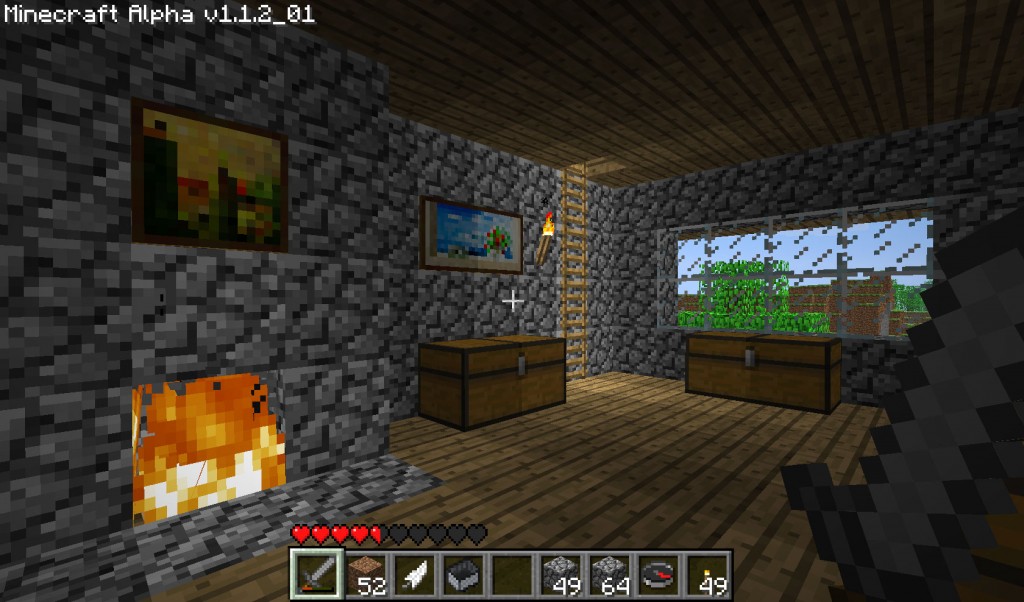
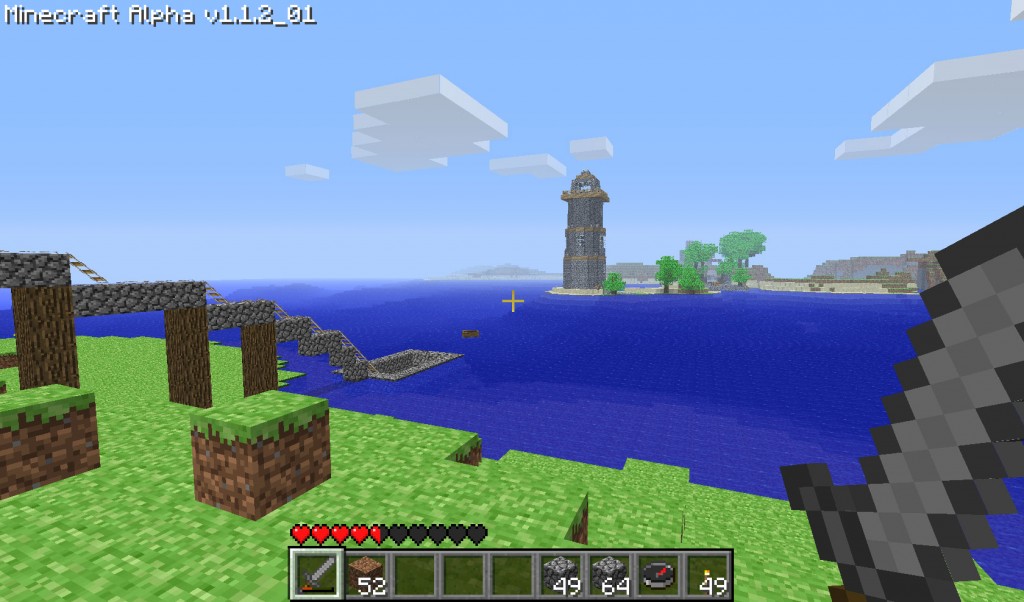
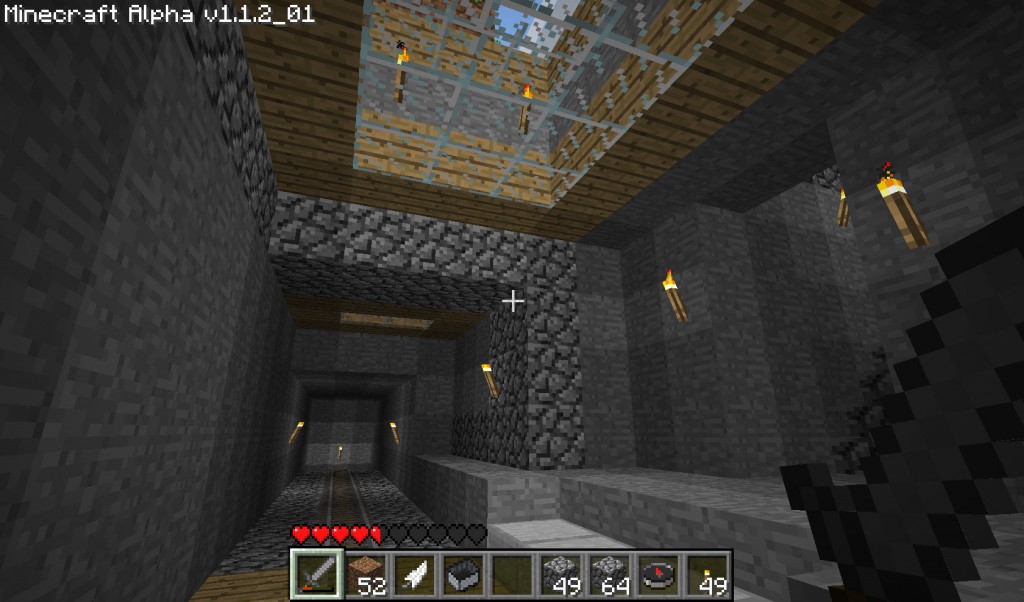
By day, I dreamed up new and unusual ideas for structures to build, and by night, I built them. I went from putting in a good deal of Team Fortress 2 almost every night to putting in a ton of Minecraft, exclusively. I created a modest safe house, a massive network of mines, a two way mine cart system that went deep underground and underwater, a huge lighthouse, a giant stone skull carved into a mountain, and the beginnings of a second home, an underground lair with trees and deep shafts carved into the hillside above for light. I even crafted a replica of Uncle Scrooge's Money Bin. Yes, I played a ton of Minecraft.

But then I just grew tired of it. I still had my massive plans for construction, and still had plenty of inspiration from the official Minecraft forums and Minecraft's home on Reddit. But I'd log in and I just didn't want to spend hours and hours mining all that stone, moving mountains, and chopping wood. To put it in short, I ran it into the ground.

I'm still looking forward to the October update, since it includes so much cool new stuff... but I'm otherwise pretty much over it. I've got too many other games that I haven't put much time in with yet, and I need to get them out of the way to make room for the holidays.

The Shifting Game Maker Scene

Martin · 15 years

A lot of other Game Maker-related events have happened since I last blogged, as well.

New Admins

Another big development over the last few months is that I am now an admin at the Game Maker Community forum.

Following the sudden retirement of longtime community leader KC LC, the GMC needed admins. Chronic, who was pretty much the sole active admin after KC LC's retirement, needed help. Xot and I talked with YoYo Games' Kirsty Scott about this, and within a few days we were given promotions. We've both previously served as global moderators, and earlier, simply moderators. And I'd also like to think that we both bring something fresh to the community's leadership.

I guess it all sounds a bit silly when you write it out. But I am happy to be a part of the community, and glad that YoYo Games trusts many of us enough to help guide the forum into the future.

Game Maker on PSP & iOS

Speaking of the future, a lot more information has come to light recently (and over the period of time where I didn't update the blog) on the continued development of Game Maker's runner.

At the beginning of the summer, we were shown a copy of Skydiver running on PSP, and much more recently, we've seen Madness Madness Madness running on an iPod and Skydiver on iPad. It's an impressive feat, and I look forward to seeing where it leads for Game Maker users.

The PSP runner wasn't as impressive to me, simply because I knew that even if they did work out all the kinks, it would never truly be easy to release GM-made games on the platform. There are simply too many hoops to jump through. For that reason alone, the iOS runner seems much more promising to me. I hope that I might get a chance to help push out some games for it early on, depending on how YoYo Games plans on publishing user-created content.

I still hate saying "iOS" out loud though. Eye-oh-ess. Does not roll off the tongue.

Oh, and I've also been really happy with all the information Mike Dailly (YYG) has been posting on his blog about the development of upcoming Game Maker releases. It's been a good read, and I like that someone so experienced is heading up that project.

Discovery Competition Entry is Go. Er... No.

A much smaller blip on the radar was the Discovery Competition entry me and some buddies (Matt "Lethalanvas" Griffin and David Perritte) were working on. It took off at tremendous pace, and then we all got a little too busy and we stopped working on it.

Originally, we wanted to keep it a secret, so there wouldn't be much hype about it if we didn't finish (good thing, right?), but now I figure we might as well show off what we've done.

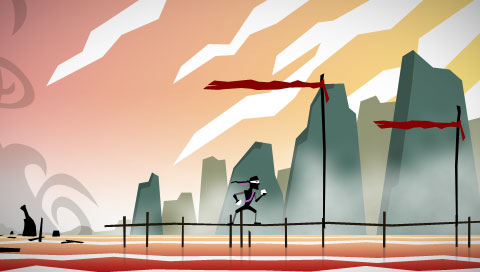
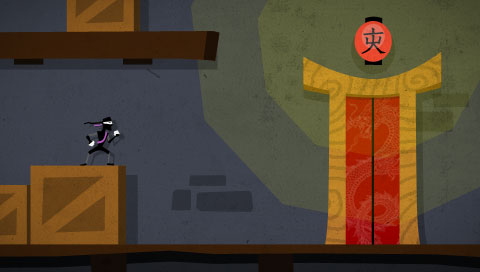
Basically, it's a game about a ninja assassin type guy who's lost his memory and who wants to stop the world from collapsing around him. It features a robust platform engine, coupled a ton of slick animations by yours truly, which lets you run, slide, grapple ledges, swing from ceilings, and eventually a lot more. The gist of it was to create a story-driven platforming experience that gave players a lot of difference challenges at once, so they could work on levels in whatever order they liked, to an extent, depending on their skill level.

If we can all find the time, I wouldn't mind working on it again sometime next year, actually. We all put a lot of work into it, and although there isn't much to do in the game right now, there is a lot of stuff that we have done, including a written story, an awesome platforming engine, some killer graphics and animation, and some cool tunes. I don't want to see it go to waste.

I'll try to get a demo or something up eventually. Like I said, we don't have much of the actual gameplay hammered out yet, but it's fun to play around with.

Homes, Websites, & Skateboards

Martin · 15 years

I haven't been able to keep my blog up as often as I've wanted lately because I've been busy with lots of different things in both personal and professional capacities.

Home Buying

My girlfriend and I are looking at buying a house soon, and as you'd expect, it's a complicated process. We've been spending months combing through home listings online and going to view them in person at open houses or with our Realtor. We've been spending the rest of the time sorting through the details of lenders, the finances, taxes, and so on. My girlfriend has done much more than I have, and I still find it extremely exhausting.

It'll be great, at the end of all this, to go home to a house instead of an apartment, however, and that keeps me going through all the extra work.

Site Crafting

I've also been busy with website jobs. I've been contracted to work on a site for a friend of my girlfriend's uncle's son, and it is in the second revision now. Unfortunately, my laptop hard drive broke (again!) and my working files are all lost, until I have time to plug the drive into my desktop computer to see if I can recover any of it. Normally this wouldn't be much of an issue for a website, because I've usually got an online copy floating around somewhere, but this site needed a Flash element built in, and I never upload FLA files, so I'm probably going to have to rebuild it. Not fun.

I'm also working on a revision to the look of my buddy Andrew's website, noLove Skateboarding. It's coming along really nicely, but because of the increased activity in the aforementioned house hunt, I haven't been able to put as much time into it lately as I would like. "Not enough time in the day" seems to be a recurring theme for me these days.

By the way, the new site isn't live yet, so if you visit the link above, brace yourself for our original janky design.

Marty Decks

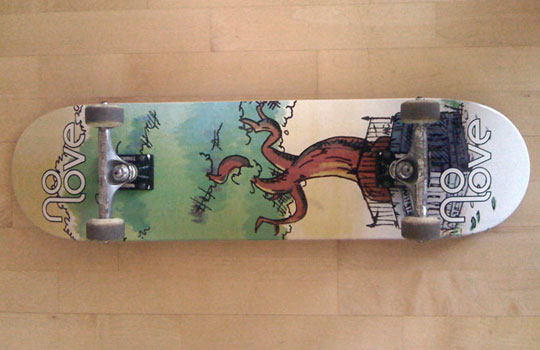
On the upside, one of the other projects I've been involved with for noLove (putting my tree painting onto a skateboard), has finally come to fruition - and I even have one of them in my possession now! All things considered, the final product looks pretty nice, and after taking an impromptu trip to one of the local skate shops, I think the art stands out a lot more than a lot of the generic crap out there.

You can buy a noLove tree deck from my buddy Andrew. Drop him a line on Facebook or Twitter.